


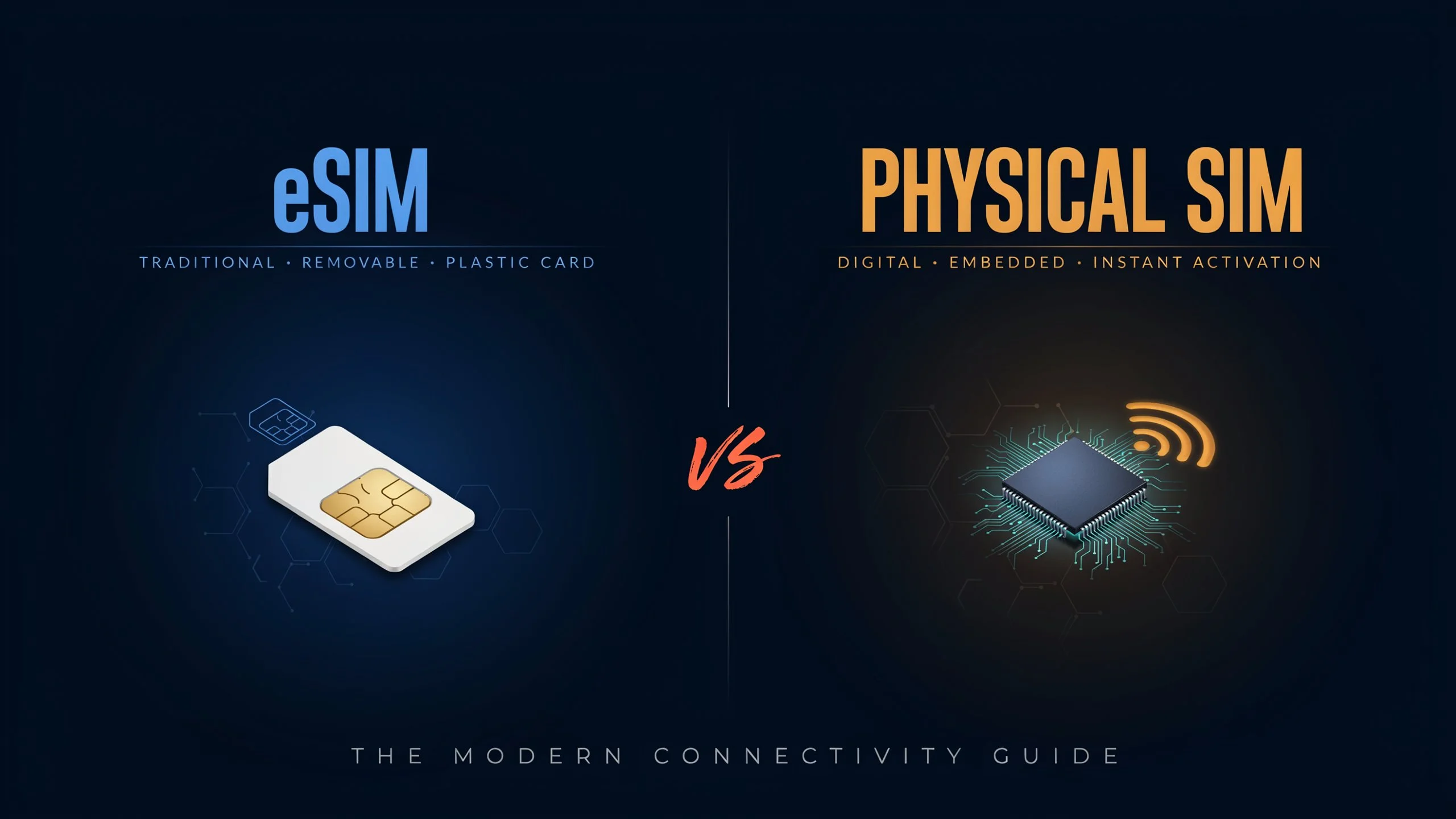
Compare eSIM vs Physical SIM to understand how these two technologies differ in activation, convenience, security, cost, and compatibility. An eSIM is built into your device and can be activated digitally without inserting a physical card, while a traditional SIM card can be removed and transferred between compatible phones. Both options connect you to mobile networks for calls, text messages, and internet access, but each has distinct advantages. eSIM technology can simplify international travel, support multiple mobile profiles, and reduce the need for physical SIM replacements. Physical SIM cards remain useful for users who frequently switch devices or prefer a removable card. Your choice depends on device compatibility, carrier support, travel habits, and personal preferences
What Is an eSIM?
An eSIM, short for embedded Subscriber Identity Module, is a digital SIM technology built into a compatible device. Unlike a traditional SIM card, it does not require a removable plastic card to connect to a mobile network.
An eSIM uses a programmable chip installed inside the device. Your mobile operator provides a digital profile containing the information required to authenticate your subscription and connect to its network. You can typically activate this profile by scanning a QR code, using a carrier application, or following the device’s built-in activation process.
Once activated, an eSIM works much like a physical SIM. You can make calls, send messages, and access mobile data according to your carrier plan.
Many modern smartphones support eSIM technology, although availability varies by model, country, and carrier. Some devices support both an eSIM and a physical SIM, while others rely entirely on eSIM connectivity.
How Does an eSIM Work?
An eSIM stores a carrier profile on an embedded chip. When you activate a mobile plan, the carrier profile is downloaded or provisioned onto the device through a supported process.
The device then uses that profile to authenticate with the mobile operator’s network. Your service depends on the selected plan, network coverage, device compatibility, and the carrier’s activation policies.
You can often store multiple eSIM profiles on one device, although the number supported depends on the hardware and software. The number of profiles that can remain active simultaneously may also differ.
For example, a traveller could keep a home-country mobile profile and add a separate international data plan. Depending on the phone, both lines may be available at the same time, allowing the user to choose which line handles calls, messages, or mobile data.
What Is a Physical SIM Card?
A physical SIM card is a removable chip that connects a mobile device to a carrier’s network. It contains subscriber-related information used to identify and authenticate your mobile subscription.
Physical SIM cards have been used in mobile phones for decades. Earlier devices supported larger SIM formats, but modern smartphones generally use the smaller nano-SIM format.
To use a physical SIM, you insert it into the phone’s SIM tray. Once the device recognises the card and connects to a supported network, you can use the services included in your mobile plan.
One of the main advantages of a physical SIM is its portability between compatible devices. If you purchase a new phone, you can often remove the SIM card from your old device and insert it into the new one without downloading a new profile. Carrier restrictions, device locks, SIM size, and activation requirements may affect this process.
How Does a Physical SIM Work?
A physical SIM contains a secure chip that stores information used to authenticate your mobile subscription. When your phone connects to a cellular network, the SIM participates in the authentication process.
The carrier then provides access to the services covered by your plan, including voice calls, text messages, and mobile data.
If you want to change devices, you can generally transfer the card yourself. If you switch carriers, you may need to obtain a replacement SIM or complete a new activation process, depending on the operator.
Physical SIM cards remain popular because they are familiar, widely supported, and straightforward to use across many smartphones.
eSIM vs Physical SIM: Key Differences
The main difference in the eSIM vs Physical SIM comparison is how the mobile subscription is provisioned and managed. A physical SIM is a removable card, whereas an eSIM uses an embedded chip that receives a digital carrier profile.
SIM Format and Installation
An eSIM is built into the device, so there is no separate card to insert or remove. Activation takes place digitally through a supported carrier process.
A physical SIM requires a compatible SIM slot and a correctly sized card. Although inserting the card is generally simple, you must have physical access to the SIM and device.
Activation and Setup
Activating an eSIM usually involves downloading a carrier profile, scanning a QR code, or using a supported transfer feature. The process can be convenient when purchasing a plan online.
A physical SIM generally requires obtaining the card, inserting it into the phone, and completing any activation steps required by the operator.
Both methods can involve identity verification, account authentication, or additional carrier requirements.
Switching Between Devices
A physical SIM can often be transferred from one compatible phone to another by moving the card. This makes it useful for people who regularly change devices or maintain a backup phone.
An eSIM transfer may require a supported device-to-device process, a new activation code, a carrier application, or assistance from customer support. The procedure varies by operator and smartphone manufacturer.
Managing Multiple Mobile Plans
An eSIM-compatible smartphone may store several carrier profiles, allowing you to switch between personal, business, and travel plans.
A physical SIM can also support multiple mobile plans when used with a dual-SIM phone, but the available combinations depend on the device’s hardware.
Storing several eSIM profiles does not necessarily mean that every profile can remain active simultaneously.
Security and Physical Access
An eSIM cannot be removed from the phone as a separate card, which reduces the risk of someone physically taking the SIM and inserting it into another device.
A physical SIM can be removed, but a SIM PIN can help protect it against unauthorised use.
Neither technology eliminates risks associated with stolen phones, compromised carrier accounts, or SIM-swap attacks. Account protection remains important regardless of the SIM format.
Advantages of an eSIM in the eSIM vs Physical SIM Comparison
eSIM technology offers several practical benefits, particularly for users who switch mobile plans, travel internationally, or prefer managing their subscriptions digitally.
Convenient Digital Activation
One of the biggest advantages of an eSIM is that you do not need to obtain and insert a physical card. Depending on your carrier, you can activate a plan by scanning a QR code, using an application, or transferring a profile from another compatible device.
This can save time when setting up a new phone or purchasing a mobile plan online. However, some carriers still require identity verification, account authentication, or assistance from customer support.
Easier International Travel
An eSIM can make international travel easier because many providers offer destination-specific or regional mobile data plans.
For example, someone travelling from India to Europe could purchase a compatible travel eSIM before departure and activate it according to the provider’s instructions. This may reduce the need to visit a local mobile shop after arriving.
Travellers should check whether the plan supports their destination, offers sufficient data, and includes voice calls or SMS. Many travel eSIM plans provide data only.
Multiple Mobile Profiles
Compatible smartphones can store multiple eSIM profiles, making it easier to manage personal, professional, and travel subscriptions.
A user might keep a primary number for regular calls and messages while adding a second plan for international data. The phone’s supported dual-SIM configuration determines which lines can operate simultaneously.
This arrangement can be particularly useful for professionals who want to separate work and personal communications without carrying two phones.
No Removable SIM Card to Lose
Because an eSIM is embedded inside the device, there is no separate card to misplace or accidentally damage while removing it.
This can be useful for people who frequently change mobile plans or travel with multiple subscriptions. It also removes the need to keep track of spare SIM cards and SIM ejector tools.
However, losing a phone can still interrupt mobile service, and users may need to contact their carrier to transfer or restore their eSIM.
Greater Flexibility in Device Design
An embedded SIM eliminates the need for a removable SIM tray in devices designed to operate without physical SIM cards.
Manufacturers can use that design flexibility when arranging internal components or improving protection against dust and water. The actual benefits depend on the device’s overall construction, and an eSIM alone does not make a smartphone more water-resistant.
Disadvantages of an eSIM
Although eSIMs offer several conveniences, they also have limitations that users should consider before switching.
Limited Compatibility With Older Devices
Not every smartphone supports eSIM technology. Older phones, budget models, and some regional versions of otherwise compatible devices may require a physical SIM.
Even when a phone supports eSIM, the feature may be unavailable with a particular carrier or mobile plan. Always verify the exact model number and carrier support before purchasing an eSIM.
Device Transfers Can Require Extra Steps
Moving a physical SIM to another phone is often straightforward. Transferring an eSIM may require a supported device-to-device transfer, a carrier application, a QR code, or assistance from the mobile operator.
If your phone breaks or becomes inaccessible, restoring the eSIM on a replacement device may involve additional verification.
Dependence on Digital Activation
Activating an eSIM requires access to a supported setup process. Depending on the carrier, you may need an internet connection, an activation code, or access to your account.
This can be inconvenient if you encounter activation problems while travelling or cannot access the account associated with your mobile plan.
Not Available From Every Carrier
Some mobile operators offer extensive eSIM support, while others have limited availability or additional eligibility requirements.
Before switching, confirm that your carrier supports eSIM activation, the services you need, and the process for replacing or transferring a profile.
Advantages of a Physical SIM Card
Physical SIM cards continue to be useful because they provide a simple and familiar way to access mobile service.
Simple Transfer Between Compatible Phones
One of the strongest benefits of a physical SIM is that you can often move it from one compatible phone to another.
If your primary phone runs out of battery or needs repair, you may be able to insert your SIM into a spare device and continue using your number. This assumes that the replacement phone is compatible, unlocked where necessary, and supported by your carrier.
For users who frequently change phones, this flexibility can be particularly valuable.
Broad Device Compatibility
Physical SIM cards work with a wide range of smartphones, feature phones, tablets, and mobile hotspots that have compatible SIM slots.
They remain a practical choice for users who own older devices or want to avoid checking eSIM support before every device change.
Familiar Activation Process
Getting started with a physical SIM is generally simple. You obtain the card from your mobile operator, insert it into the phone, and follow any required activation steps.
This familiar process may be preferable for users who do not want to manage digital profiles or troubleshoot eSIM transfers.
Useful as a Backup Option
A physical SIM can be useful when moving service to a spare phone, especially if the replacement device does not support eSIM.
People who maintain older phones for emergencies may find removable SIM cards more convenient, provided their backup devices support the relevant network technology.
Disadvantages of a Physical SIM Card
Physical SIMs are practical, but their removable format creates a few limitations.
Risk of Loss or Damage
A physical SIM card is small and can be misplaced during a device change. It can also be damaged through mishandling or problems with the card or SIM tray.
If the card stops working or is lost, you may need a replacement from your mobile operator. The replacement process can involve identity verification or a service fee.
Requires a Compatible SIM Slot
Some smartphones are designed without a physical SIM tray. If your device relies entirely on eSIM technology, a traditional SIM card cannot be inserted into it.
This matters when buying a phone from another country, as different regional models can have different SIM configurations.
Less Convenient for Travel Plans
If you want a separate local SIM while travelling, you may need to purchase a card, arrange activation, and physically replace or add it to your device.
A phone with only one physical SIM slot may require you to remove your usual card to use another. Dual-SIM devices can offer more flexibility, but their configurations vary.
Physical Access Creates a Security Consideration
A removable SIM can be taken out of a phone if someone gains physical access to it. Depending on the circumstances, this could complicate tracking or receiving calls and messages on the original device.
A SIM PIN can provide an additional layer of protection against unauthorised use of the card, although it does not replace account security or device protection.
eSIM vs Physical SIM for International Travel
International travel is one area where the differences between eSIM and physical SIM technology become especially noticeable.
An eSIM allows compatible travellers to purchase a mobile data plan online and install it before or during a trip. Depending on the provider, the plan may cover one country, several countries, or an entire region.
A physical SIM can also provide local connectivity, often through a local mobile operator. However, you may need to purchase the card after arriving, complete any required registration, and insert it into your device.
Activation and Availability Abroad
An eSIM can be installed digitally before departure, allowing travellers to prepare their mobile connectivity in advance. Activation timing depends on the provider, as some plans begin their validity period when installed, while others begin when they connect to a supported network.
A physical SIM may require a visit to a shop or airport kiosk, although some providers offer online ordering and delivery.
Cost and Data Allowances
Neither eSIMs nor physical SIMs are automatically cheaper. Prices depend on the provider, destination, data allowance, validity period, and roaming arrangements.
Compare the total cost of each plan rather than choosing based solely on the SIM format.
Keeping Your Existing Number
A compatible dual-SIM phone may allow you to keep your home number active while using a separate travel plan for mobile data.
Check your carrier’s roaming charges and your phone’s dual-SIM settings before travelling. Using your primary line abroad can still incur roaming fees, even when a travel eSIM handles mobile data.
Voice Calls and Text Messages
Some travel eSIMs provide only mobile data, while others include calls and text messages. Physical SIM plans also vary in the services they provide.
Check the plan details if you need to receive verification messages, make local calls, or maintain access to your regular phone number.
For frequent travellers with compatible phones, an eSIM can reduce the effort involved in obtaining mobile data abroad. A physical SIM remains a reasonable option for people who prefer local prepaid plans or use devices without eSIM support.
eSIM vs Physical SIM: Which Is More Secure?
Both eSIM and physical SIM technologies use security mechanisms to authenticate a subscriber with a mobile network. Neither option automatically protects every part of your mobile account.
An eSIM cannot be physically removed from a stolen phone in the same way as a traditional SIM. This may reduce the risk of someone taking the card and placing it in another device. However, an embedded SIM does not prevent someone from accessing an unlocked phone or compromising an online carrier account.
A physical SIM can be removed, but it can also be protected with a SIM PIN. Users should keep their phones locked, secure their carrier accounts, and use strong authentication methods wherever available.
SIM swapping is another risk to consider. In a SIM-swap attack, a criminal convinces or manipulates a carrier into transferring a victim’s number to a different SIM or eSIM profile. This can affect users of either technology.
To protect your mobile number, set a strong account password, enable available carrier security measures, and avoid relying exclusively on SMS verification for important accounts when stronger authentication options are available.
Can You Use an eSIM and Physical SIM at the Same Time?
Yes, many smartphones support dual-SIM functionality, allowing an eSIM and a physical SIM to operate together.
For example, you might use one line for personal calls and messages and another for business communications or mobile data. This arrangement can help separate different uses without carrying two phones.
However, dual-SIM capabilities vary by device. Some phones support one physical SIM and one active eSIM, while others support two active eSIMs or different combinations of SIM types.
You should also distinguish between storing multiple profiles and using multiple lines simultaneously. A phone may store several eSIM profiles but allow only a limited number of active connections.
Before setting up dual-SIM service, check whether your phone supports the required combination and whether your carrier permits the intended configuration.
eSIM vs Physical SIM: Which Is Better for Everyday Use?
The better option depends on your priorities, rather than the technology alone.
An eSIM may be the more convenient choice if you regularly travel, prefer digital activation, or want to manage multiple mobile plans without handling separate cards. It can also be useful when buying a phone that does not include a physical SIM slot.
A physical SIM may suit you better if you frequently move your number between phones, use older devices, or prefer the simplicity of transferring a removable card.
For everyday activities such as calling, messaging, streaming, and browsing, neither technology inherently provides faster mobile internet. Your experience depends on the phone’s radio capabilities, the carrier, network coverage, congestion, and your selected plan.
Likewise, an eSIM does not automatically provide better signal strength or lower data costs. Those benefits depend on the network and service you use.
Choosing an eSIM for Daily Use
An eSIM is a practical choice for users with compatible devices who want to activate mobile plans digitally. It can be particularly useful for professionals who manage separate personal and business numbers or travellers who regularly purchase international data plans.
Its main limitation is that switching devices or restoring service may require additional steps, depending on carrier support.
Choosing a Physical SIM for Daily Use
A physical SIM is suitable for users who value direct control over their mobile subscription and regularly move between compatible phones. It also remains a practical option for people who use older devices or mobile operators with limited eSIM support.
Its removable format makes device transfers straightforward, although replacing a lost or damaged card may require assistance from the carrier.
How to Switch From a Physical SIM to an eSIM
Switching from a physical SIM to an eSIM is usually straightforward when your phone and carrier support the feature.
Step 1: Check Device Compatibility
Confirm that your exact smartphone model supports eSIM and that the feature is available in your country. Regional versions of the same phone can have different SIM capabilities.
Step 2: Contact Your Carrier
Check whether you can convert your existing number to an eSIM and whether any charges or verification requirements apply.
Step 3: Activate the eSIM
Follow the carrier’s instructions, which may involve scanning a QR code, using its application, or completing an on-device transfer.
Step 4: Test Your Connection
Make a call, send a message, and test mobile data to confirm that the new profile works correctly.
Step 5: Confirm the Old SIM’s Status
When a number is transferred to an eSIM, the previous physical SIM is generally deactivated for that number. Do not discard the old card until you have confirmed that the transfer is complete.
The precise steps differ between Android devices, iPhones, and mobile operators. Keep access to your carrier account and follow its instructions if activation fails.
Conclusion
The choice between eSIM and physical SIM comes down to convenience, compatibility, and how you manage your mobile service. An eSIM is a practical option for digital activation, international travel, and managing multiple profiles. A physical SIM remains useful for quick transfers between compatible devices and broad hardware support.
Neither option guarantees better signal strength, faster internet, or lower costs. Check your phone’s capabilities, carrier support, and mobile plan before making a decision. Choosing the format that fits your daily routine will help you manage your mobile connectivity with fewer complications.
Frequently Asked Questions
Does eSIM provide faster internet than a physical SIM?
No. An eSIM does not inherently provide faster internet. Connection speed depends on the mobile network, signal strength, supported network technologies, device hardware, and data plan.
Can I keep my existing number when switching to an eSIM?
Yes. Many mobile operators allow customers to convert an existing physical SIM subscription into an eSIM while retaining the same number. Availability and the conversion process depend on the carrier.
Can I use an eSIM without an internet connection?
You generally need an appropriate activation method to install or activate an eSIM. Some transfer processes use a direct connection between devices, while others require internet access. Once activated, the eSIM connects to the mobile network without needing Wi-Fi.
Can an eSIM stop working if I reset my phone?
A factory reset can remove an eSIM profile, depending on the device and reset settings. Some phones let you retain or erase eSIMs during a reset. Check your device settings and carrier’s reactivation process before resetting your phone.
Can I switch back from eSIM to a physical SIM?
Usually, yes, if your carrier supports physical SIM cards and your phone has a compatible SIM slot. You may need to request a replacement card and complete a transfer process with the carrier.
